// Explore the product lab
Back to Overview
Mifgash Live

Plan the event together.

Mifgash is an app for planning a get-together: send one link, and guests answer in one tap, sign up to bring things, and let you know when they've paid their share.

Works in English and Hebrew.

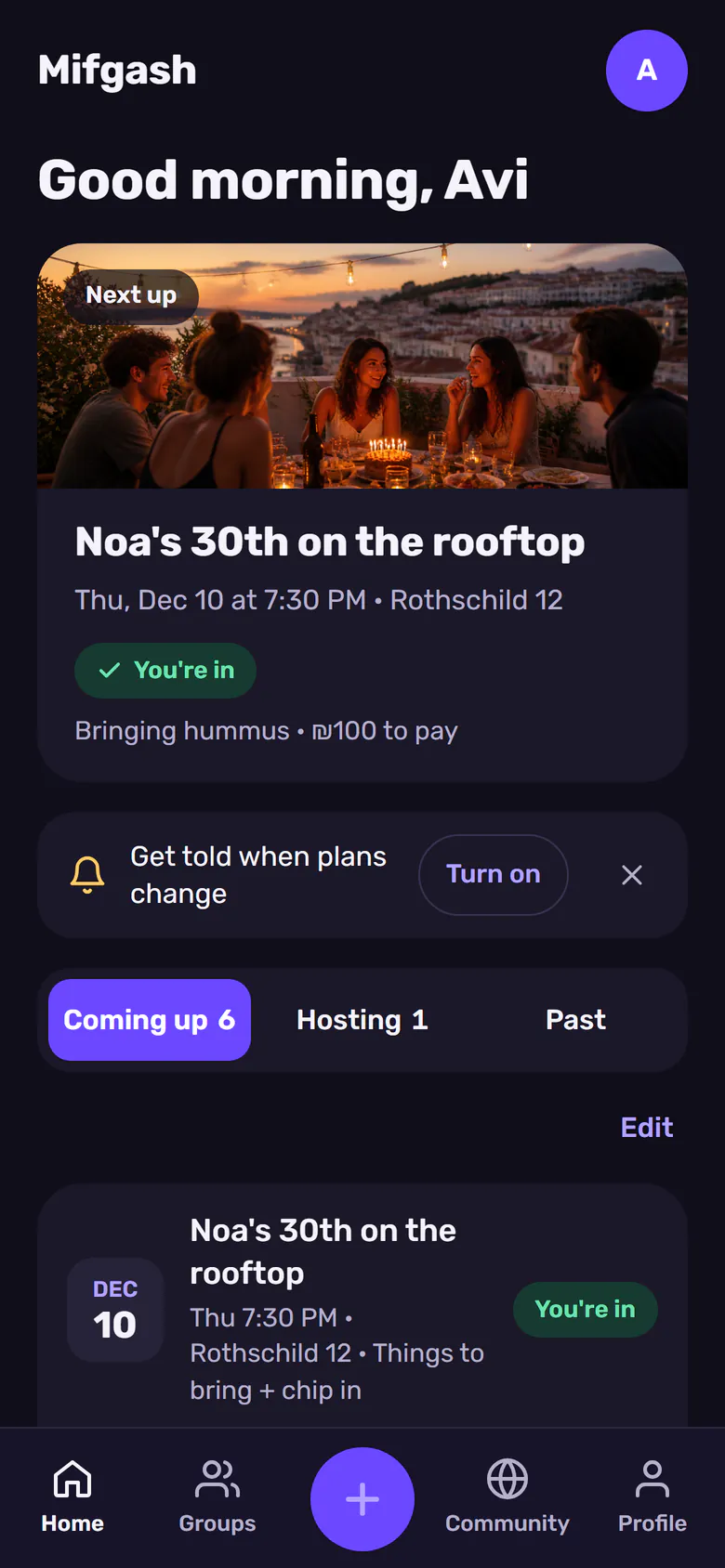
Mifgash home screen: a greeting, the next event coming up with your answer and what you still owe, and your list of upcoming events.
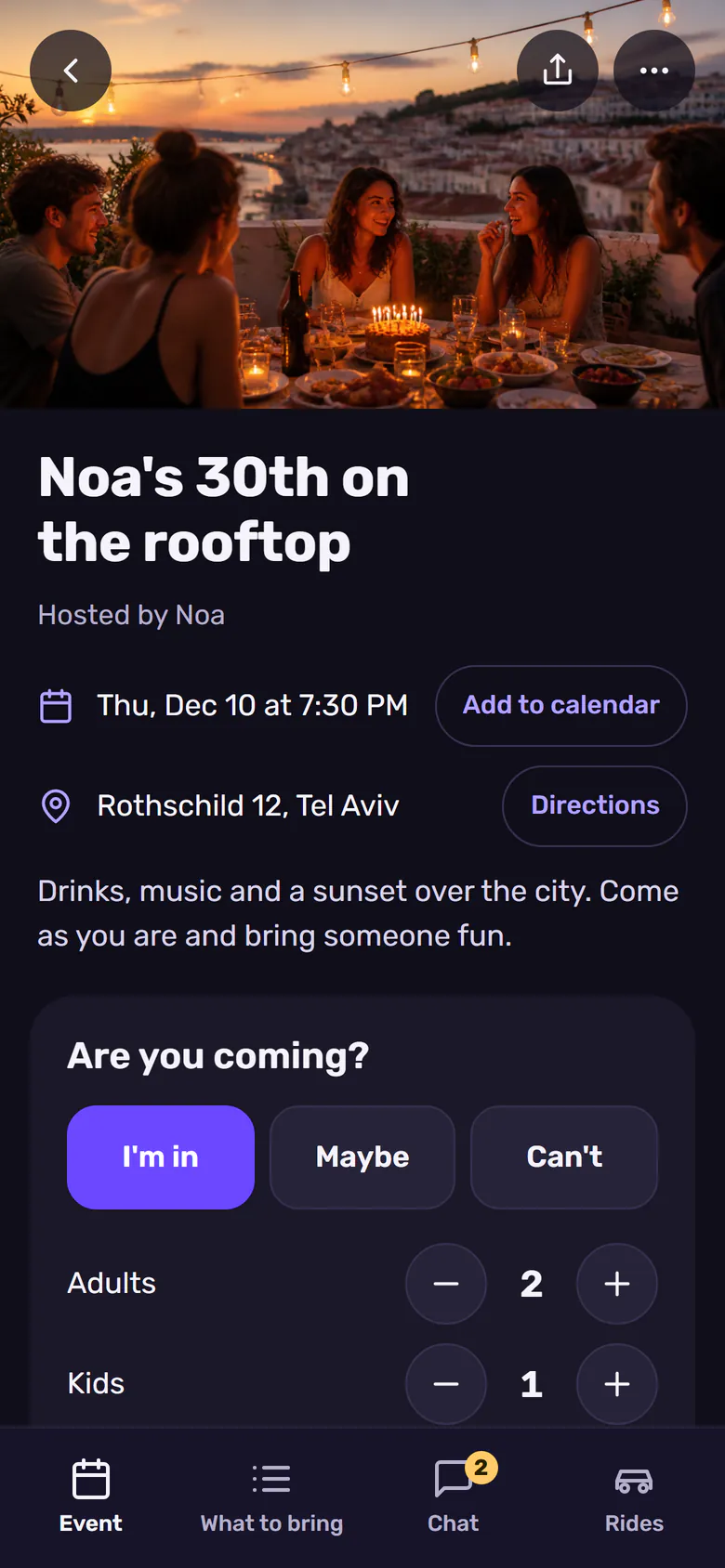
An event page in Mifgash: the event name, host, date with Add to calendar, place with Directions, and an Are you coming? card with I'm in, Maybe and Can't.
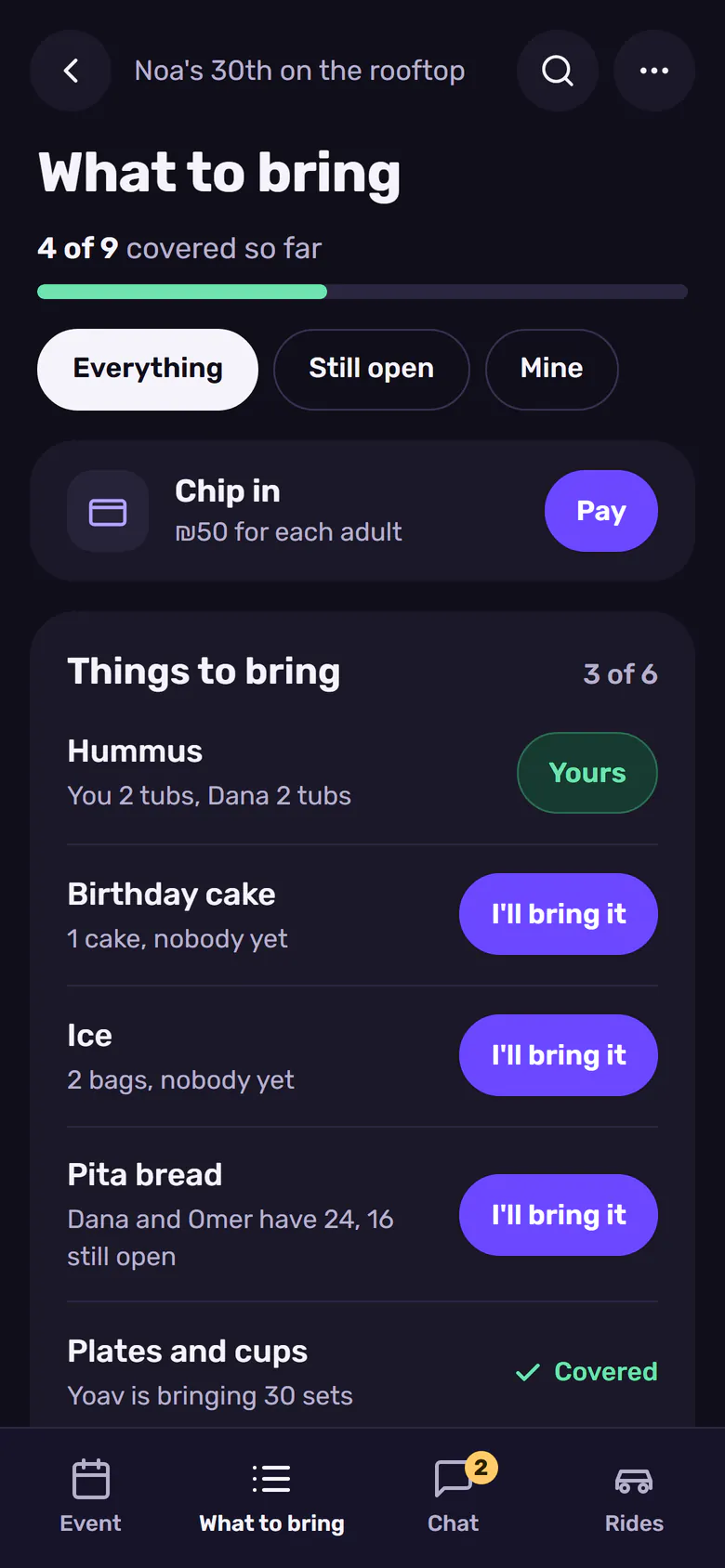
The What to bring list: 4 of 9 covered, a Chip in row, and things to bring with I'll bring it buttons.
  • Web, Android and iPhone
  • English and Hebrew
  • Repeating events
  • Entry pass with QR check-in at the door
1Plan

A few short questions, and it's ready to share.

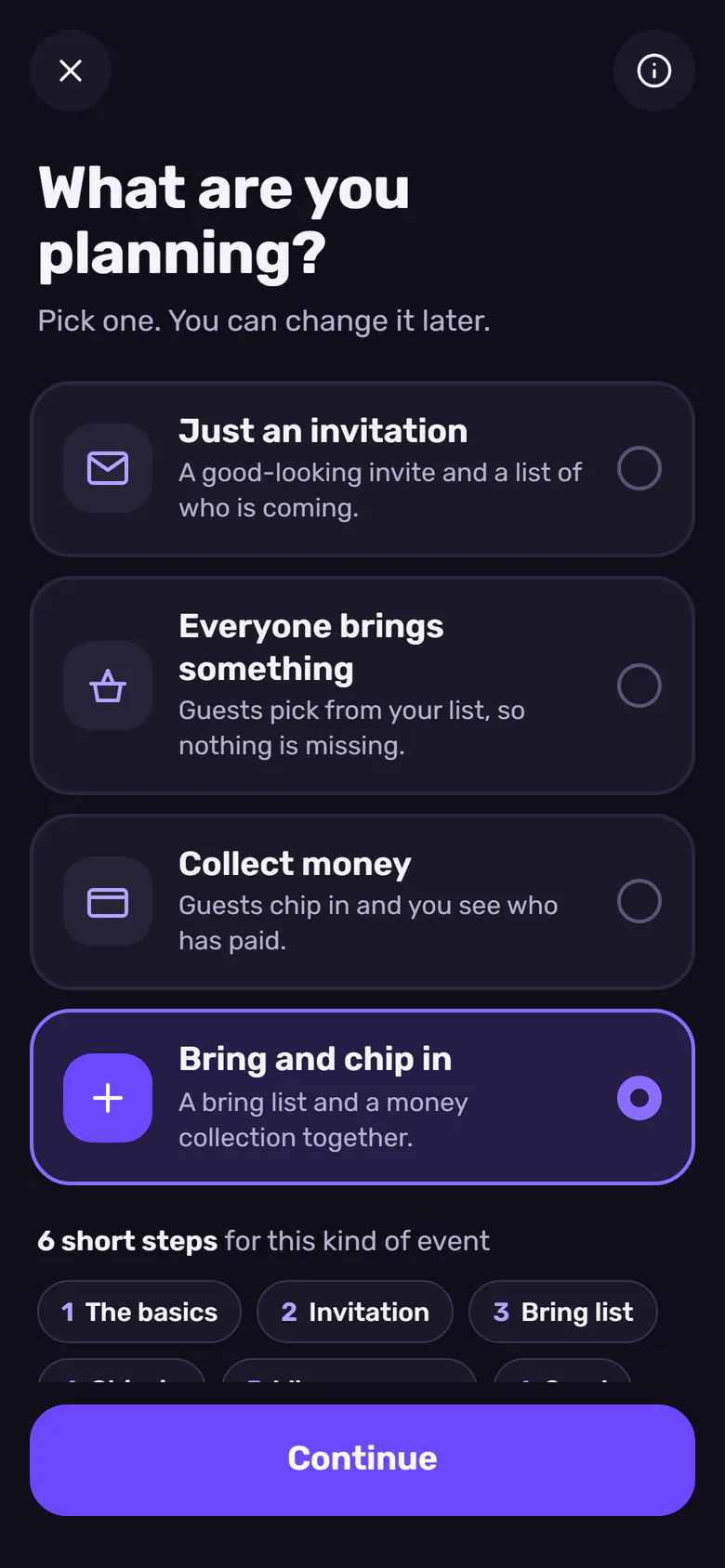
Start by choosing what you're planning: just an invitation, everyone brings something, collecting money, or bring and chip in. Mifgash then asks only what that kind of event needs.

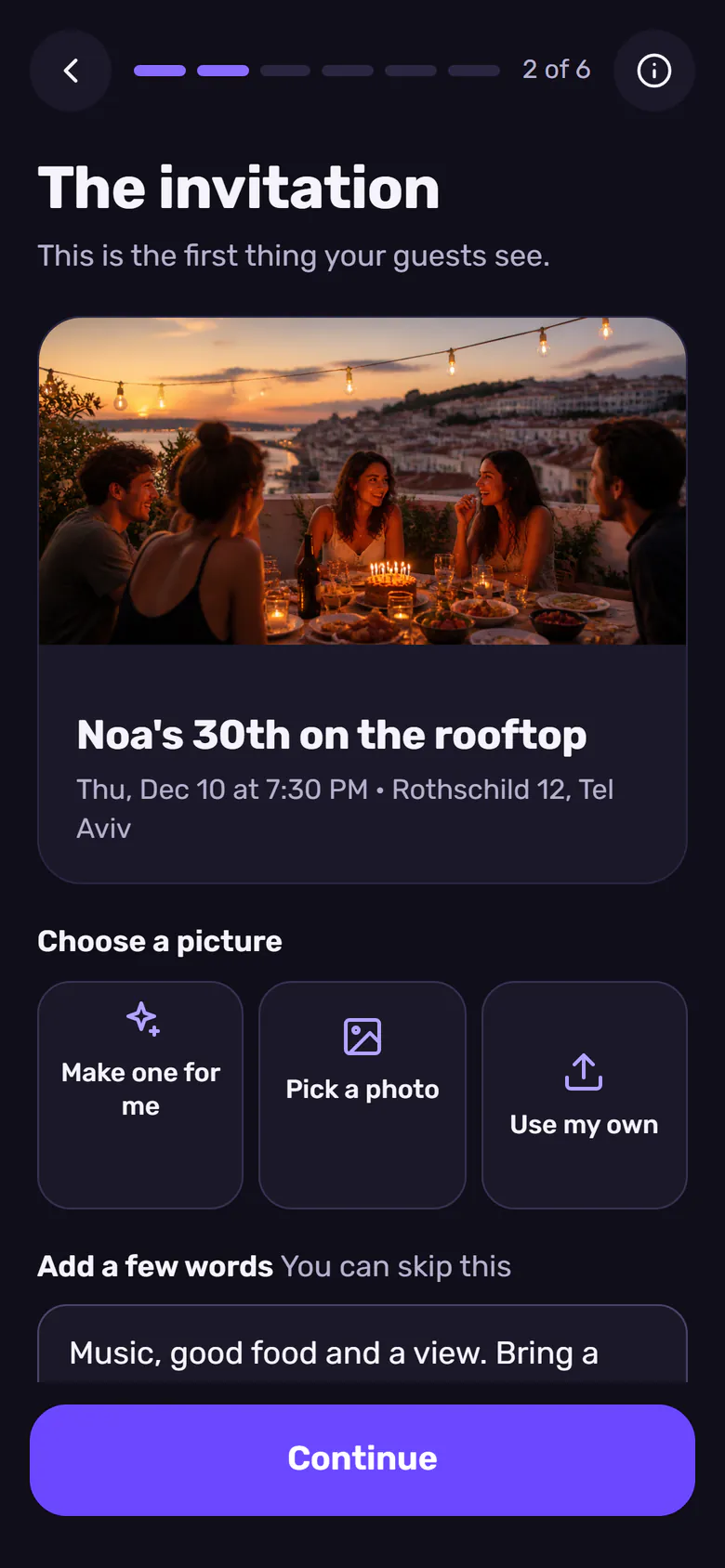
  • Make the invitation picture by describing it, pick a photo, or upload your own.
  • Set it to repeat for the events that happen again and again.
  • When it's ready, share one link.
First step of planning an event, What are you planning?, with four choices: Just an invitation, Everyone brings something, Collect money, and Bring and chip in.
The invitation step: a preview card with a rooftop dinner photo, and three ways to choose a picture: Make one for me, Pick a photo, or Use my own.
2Guests

Guests answer and sign up on one page.

Everyone opens the same event page. They answer I'm in, Maybe or Can't with one tap, then pick what they'll bring from a shared list, so nothing is missing and nothing is doubled.

  • The list shows what's covered and what's still open.
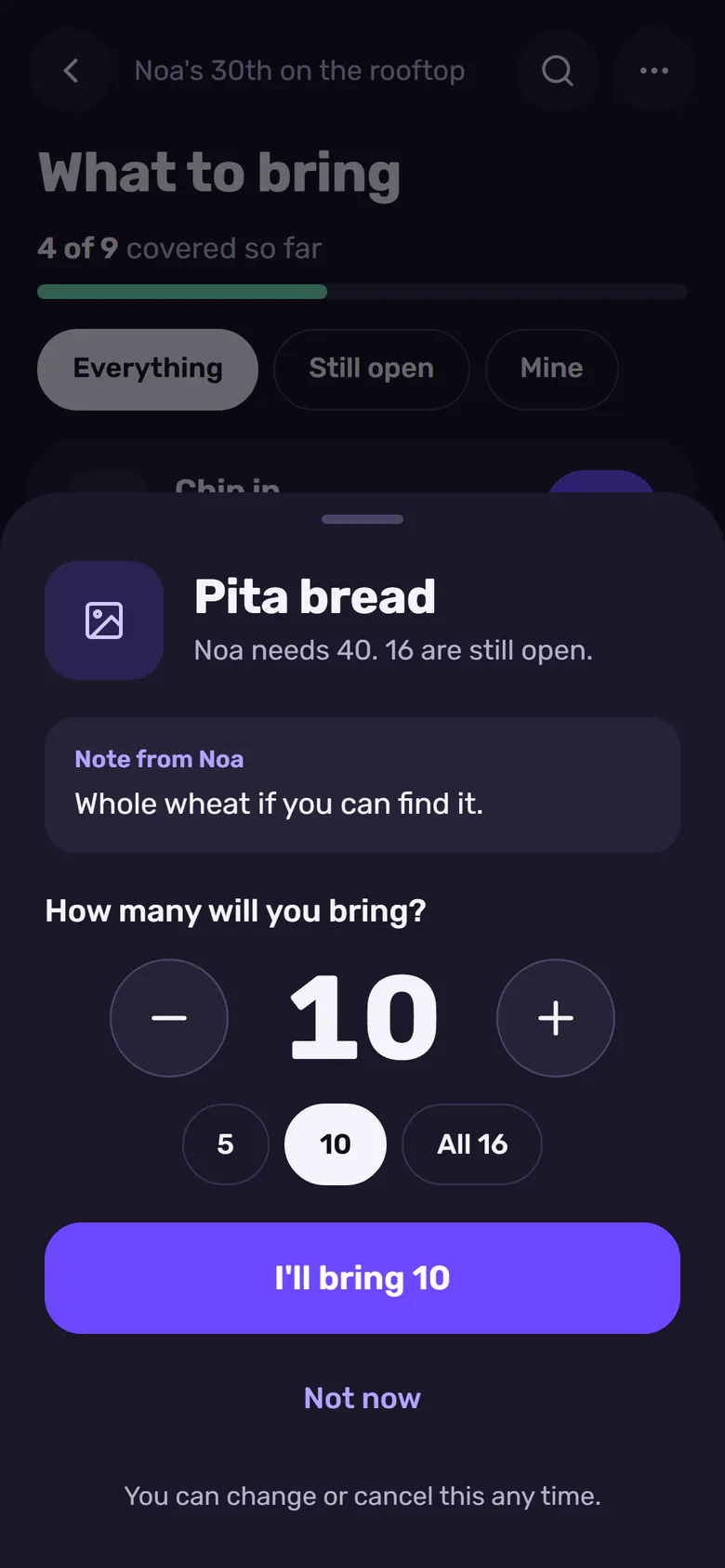
  • Guests choose how many they'll bring, and can change it later.
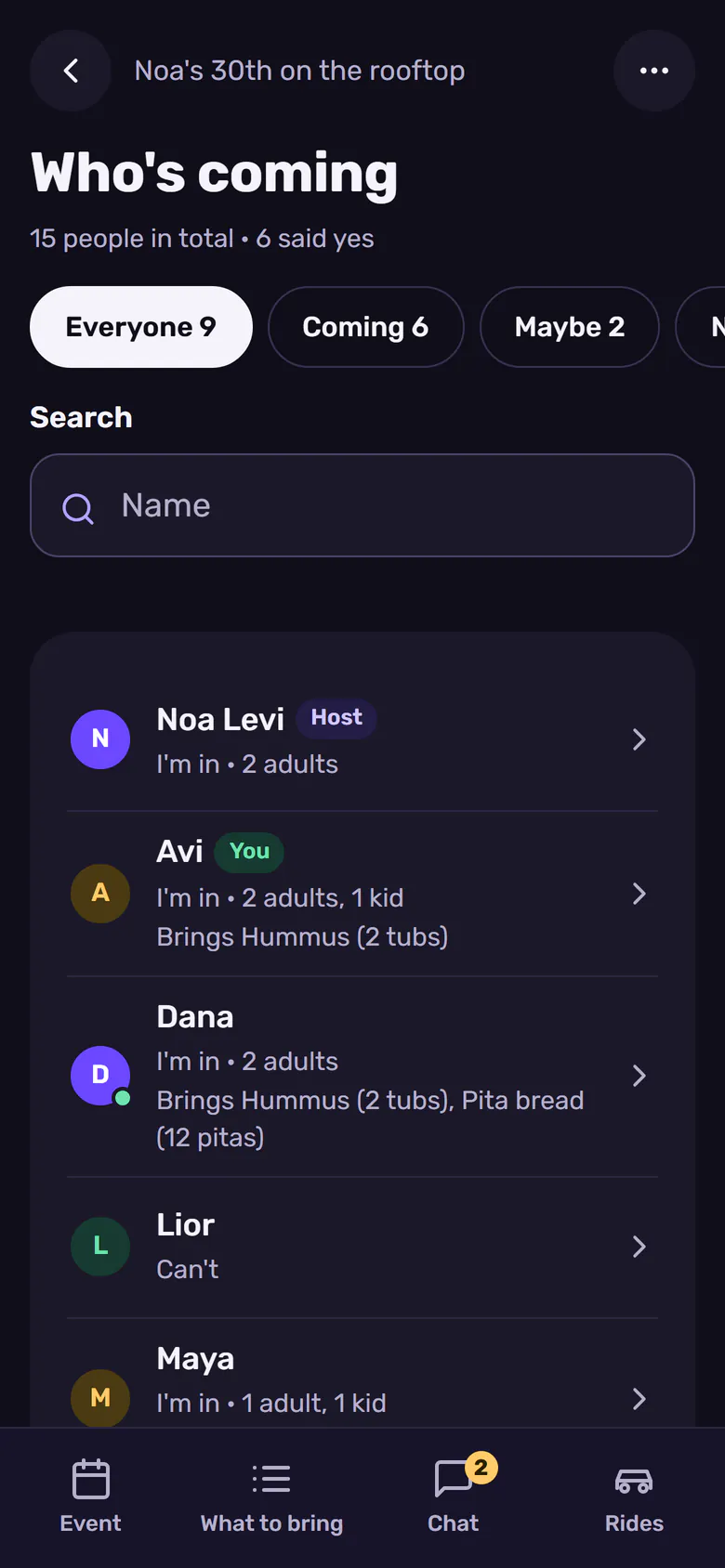
  • You see who's coming and what each person is bringing.
Signing up to bring pita bread: Noa needs 40 and 16 are still open; the guest picks 10 and taps I'll bring 10.
Who's coming: filters for everyone, coming and maybe, and each guest's answer with what they are bringing.
3Chip in

Know who paid, without awkward reminders.

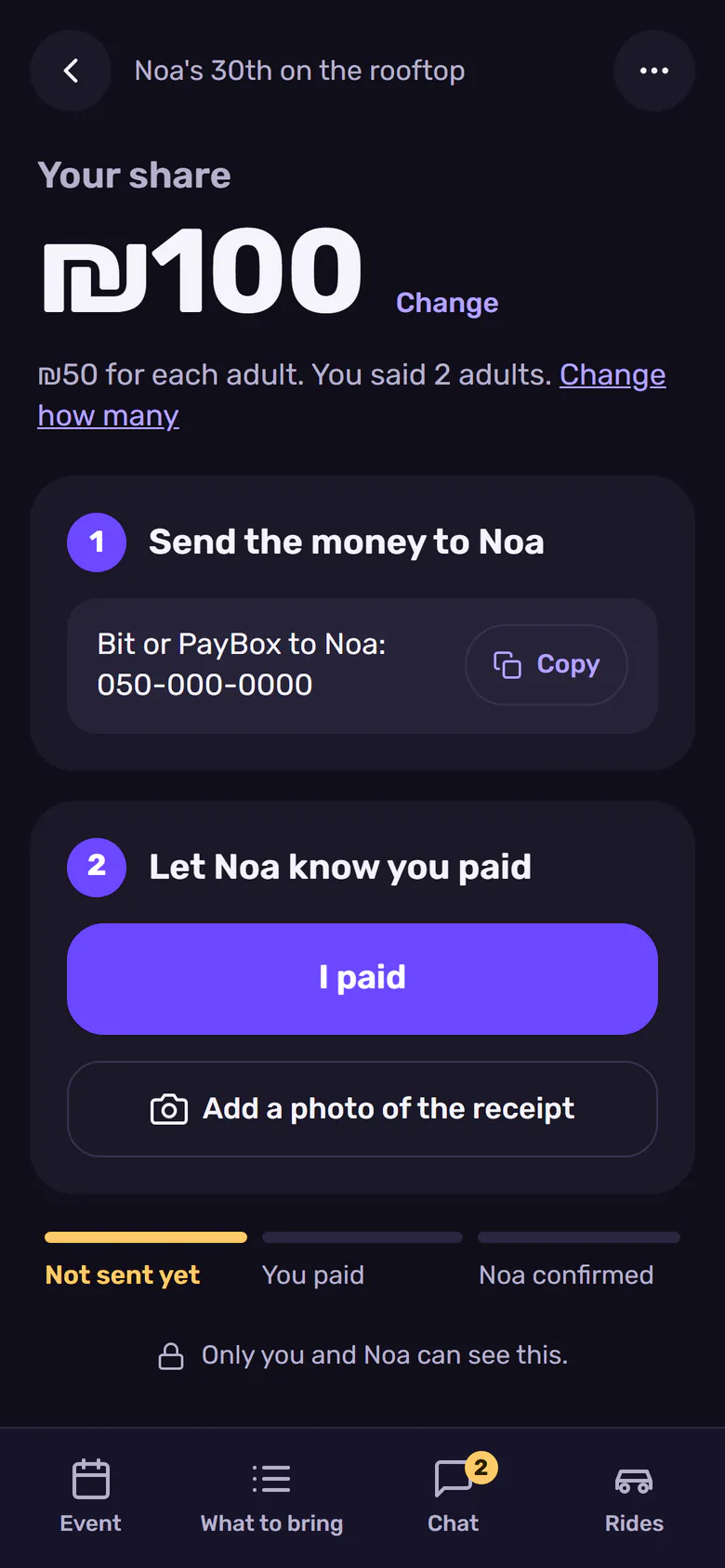
When an event collects money, each guest sees their share and how to pay you. They send the money to you directly, then tap I paid or add a photo of the receipt. You confirm it, and the list shows who still hasn't paid.

  • Each guest's payment is visible only to that guest and to you.
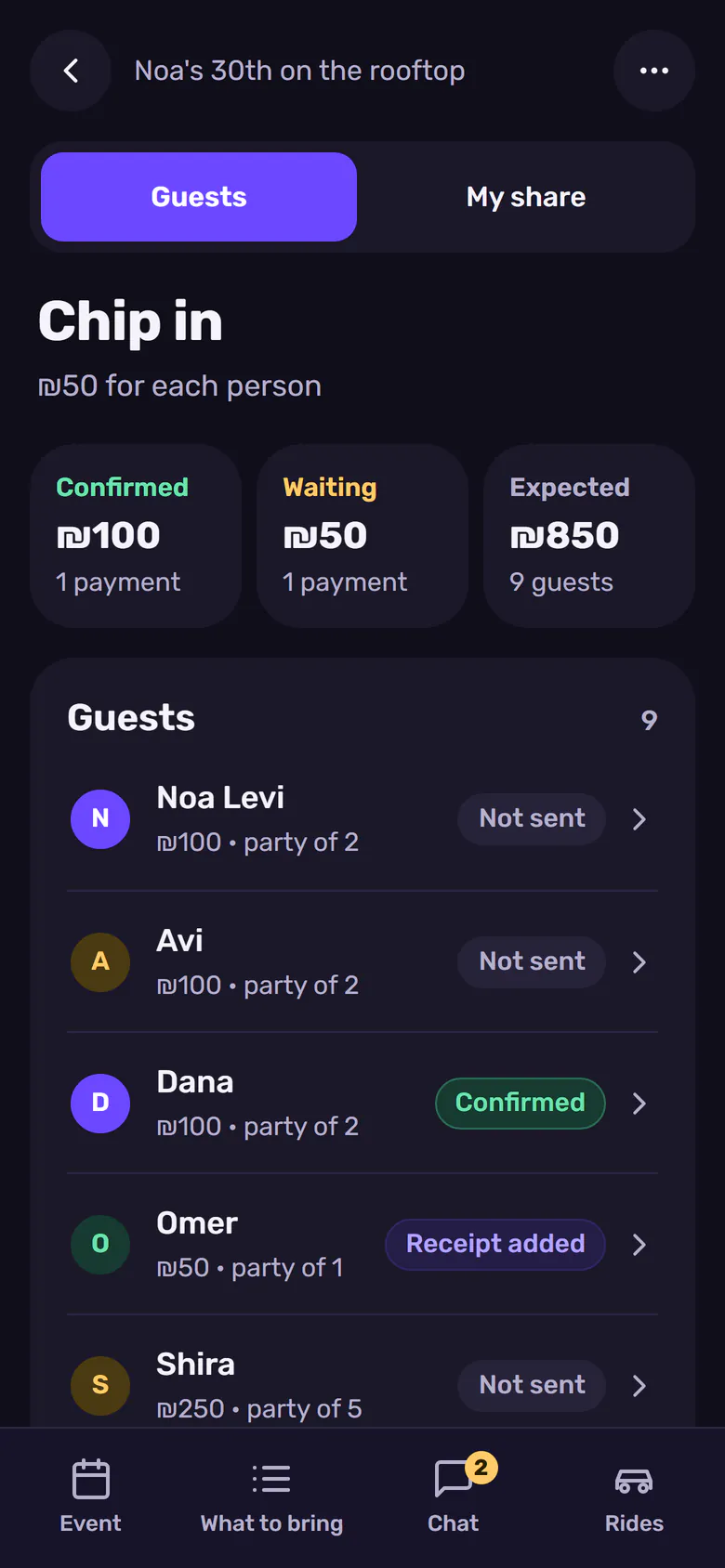
  • You see what's confirmed, what's waiting and what's expected.

Mifgash doesn't handle any money. It keeps track of who paid; the money goes straight from your guests to you.

A guest's chip-in screen: your share is 100 shekels, step 1 send the money to Noa with her payment details, step 2 let Noa know you paid with I paid or a photo of the receipt.
The host's chip-in view: totals confirmed, waiting and expected, and each guest marked Not sent, Confirmed or Receipt added.
4Around the event

Rides, chat and groups, in the same place.

The things people usually sort out in side conversations stay with the event.

Rides

Offer the free seats in your car, or ask for a seat in someone else's.
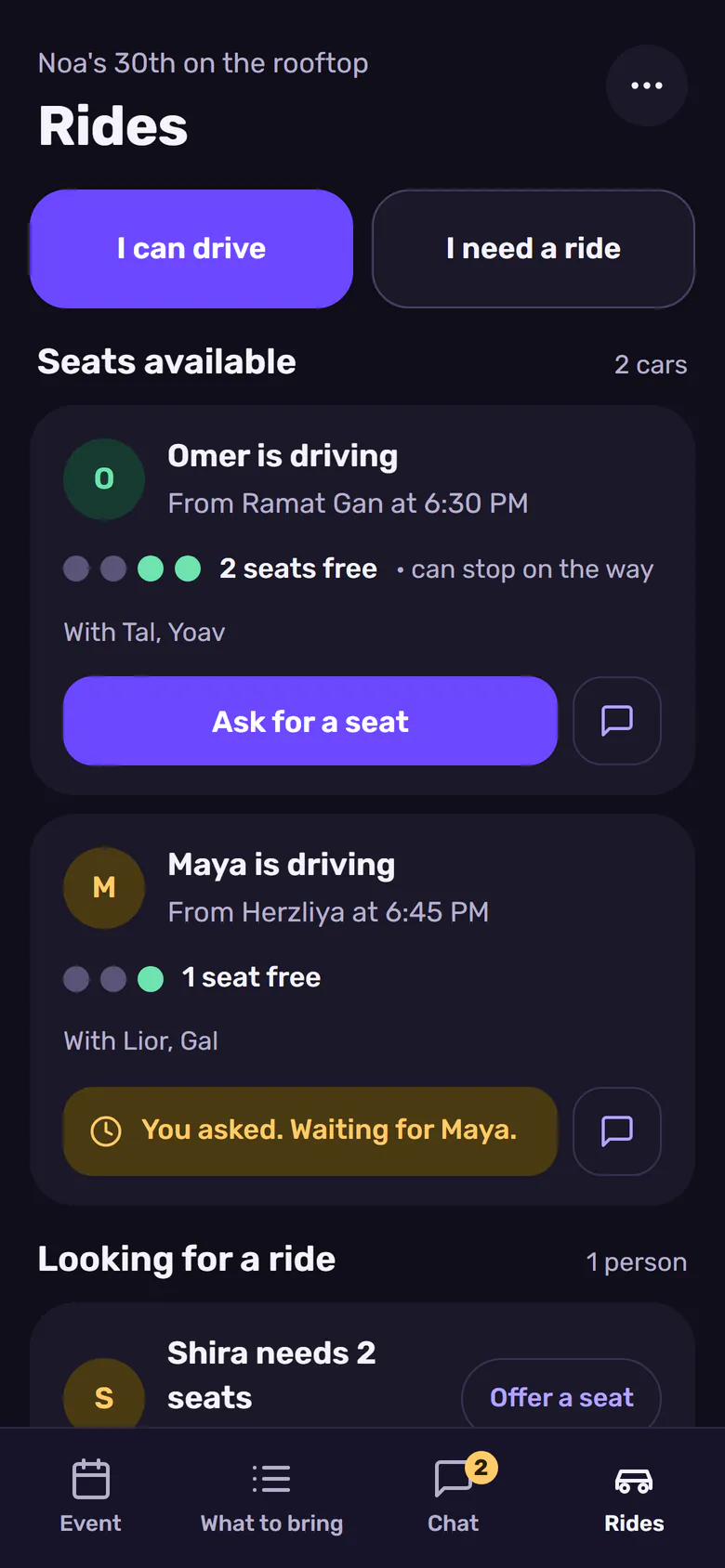
Rides for an event: I can drive and I need a ride buttons, drivers with seats free and Ask for a seat, and people looking for a ride.

Chat

Every event has its own chat, with polls, voice messages and photos.
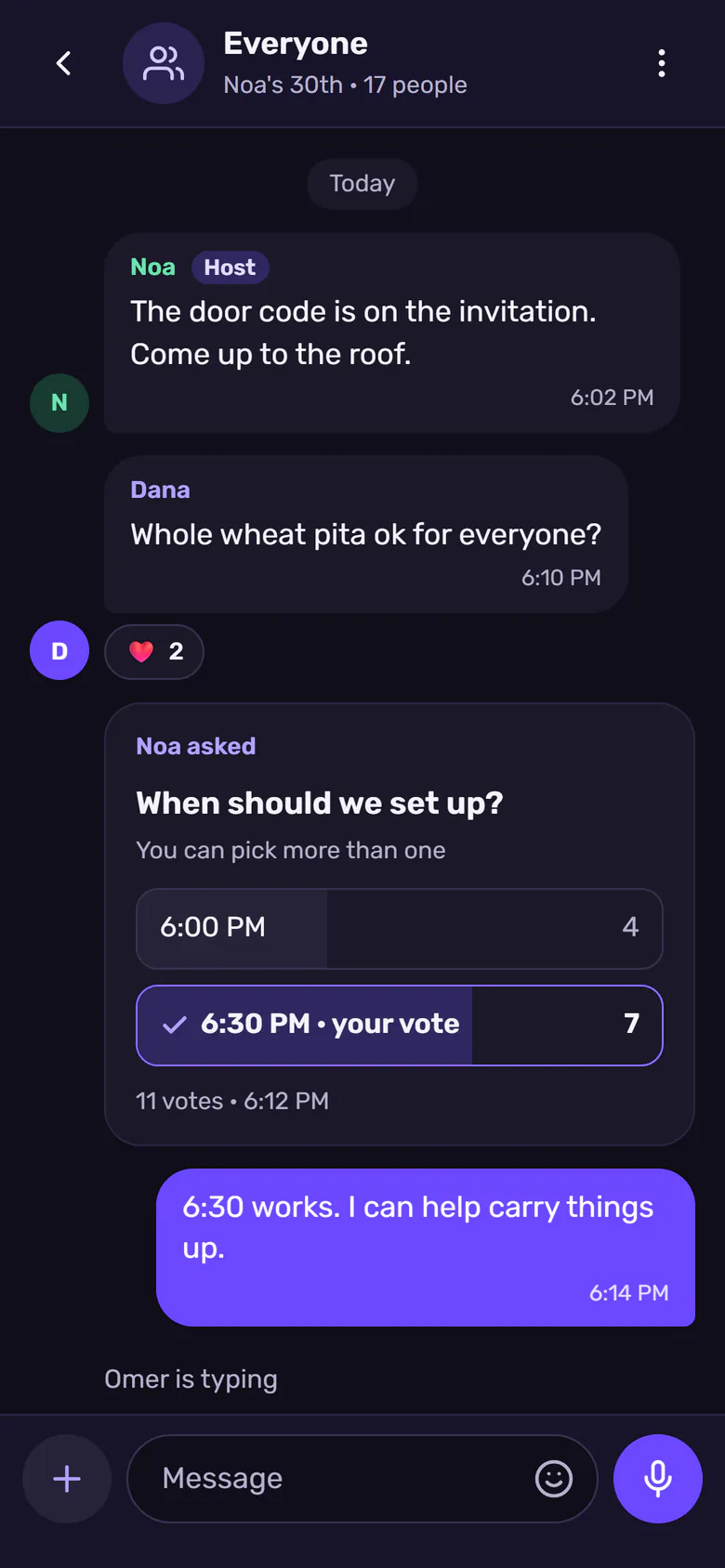
An event chat with messages from the host and guests, a reaction, and a poll asking when to set up with votes for each time.

Groups and Community

Keep a group for the people you plan with often, and find public events on the Community page.
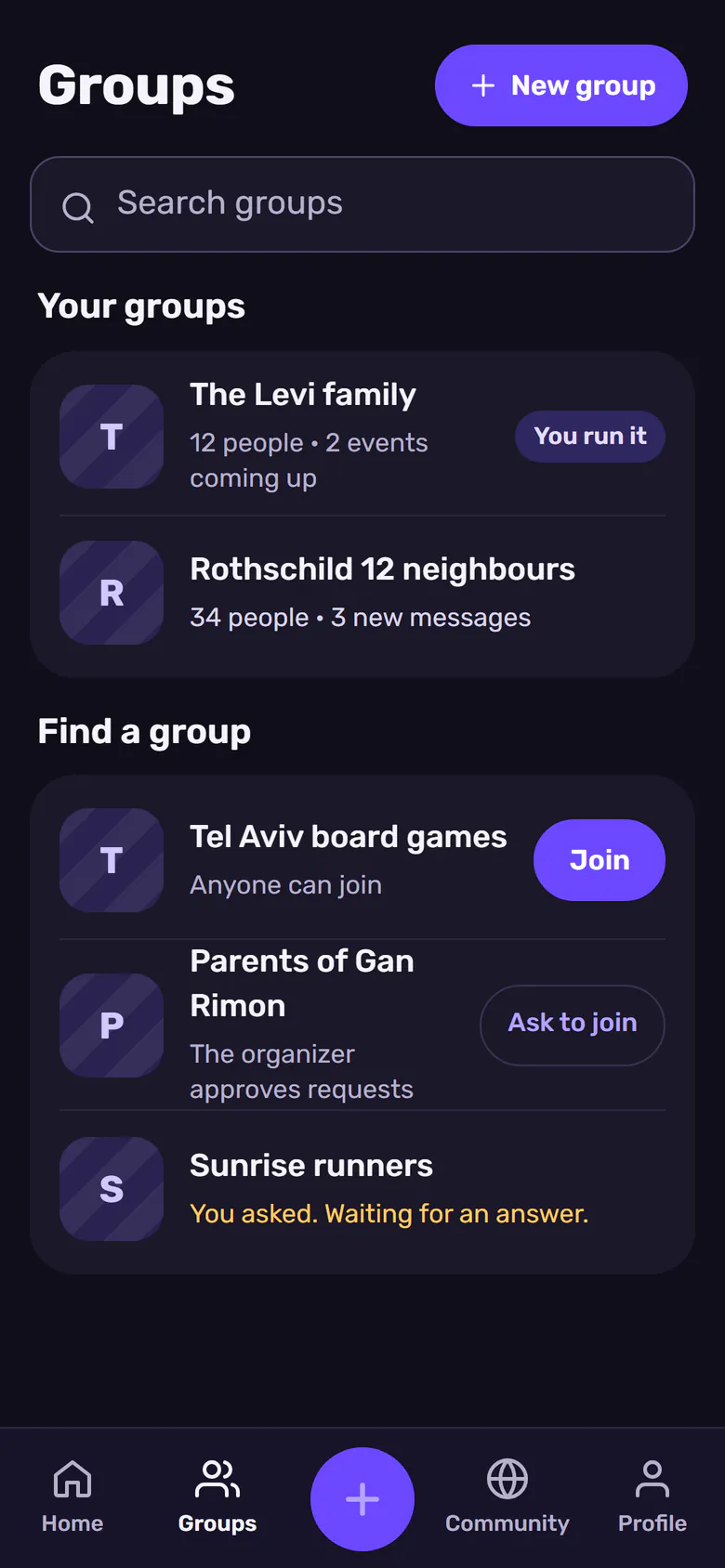
Groups: your groups with people counts and upcoming events, and groups you can find and join.

Plan your next get-together.

Open Mifgash in your browser, or get the app for your phone.

Help & Support Center